01Prepare the quote
Start with the work. Skip the blank page.
Turn selected plan pages into an AI-assisted draft, or reuse your own scope. Type or speak changes, then review the quantities and prices.
See the AI quoting toolsFrom first quote to final invoice
Build an AI-assisted quote, bring in subcontractor prices and coordinate the crew. Start with your own work and the partners you already know.
12 months. No platform fees.
For businesses new to OPSphere. Create your business account by 30 November 2026. Other charges apply.
No credit card needed to sign up and explore.
View Black Friday offer detailsFrom the first draft to the final invoice
Keep the scope connected as the work changes hands.
01Prepare the quote
Turn selected plan pages into an AI-assisted draft, or reuse your own scope. Type or speak changes, then review the quantities and prices.
See the AI quoting tools02Get subcontractor prices
Generate and manage requests for quote (RFQs). Track rounds, compare responses and bring selected subcontractor pricing into your quote.
Follow a request through03Deliver the job
Plan people, crews and equipment. Carry agreed scope into the job, then track variations, recorded costs and invoicing as work progresses.
Explore scheduling and job toolsYou stay in control. Check AI drafts before use. AI uses credits and depends on your plan and settings.
RFQ access follows business connections or an approved access request. Selecting a price does not place an order.
Explore a fit-out quote, electrical RFQ, crew schedule and site register. Expand a screen to see the detail.
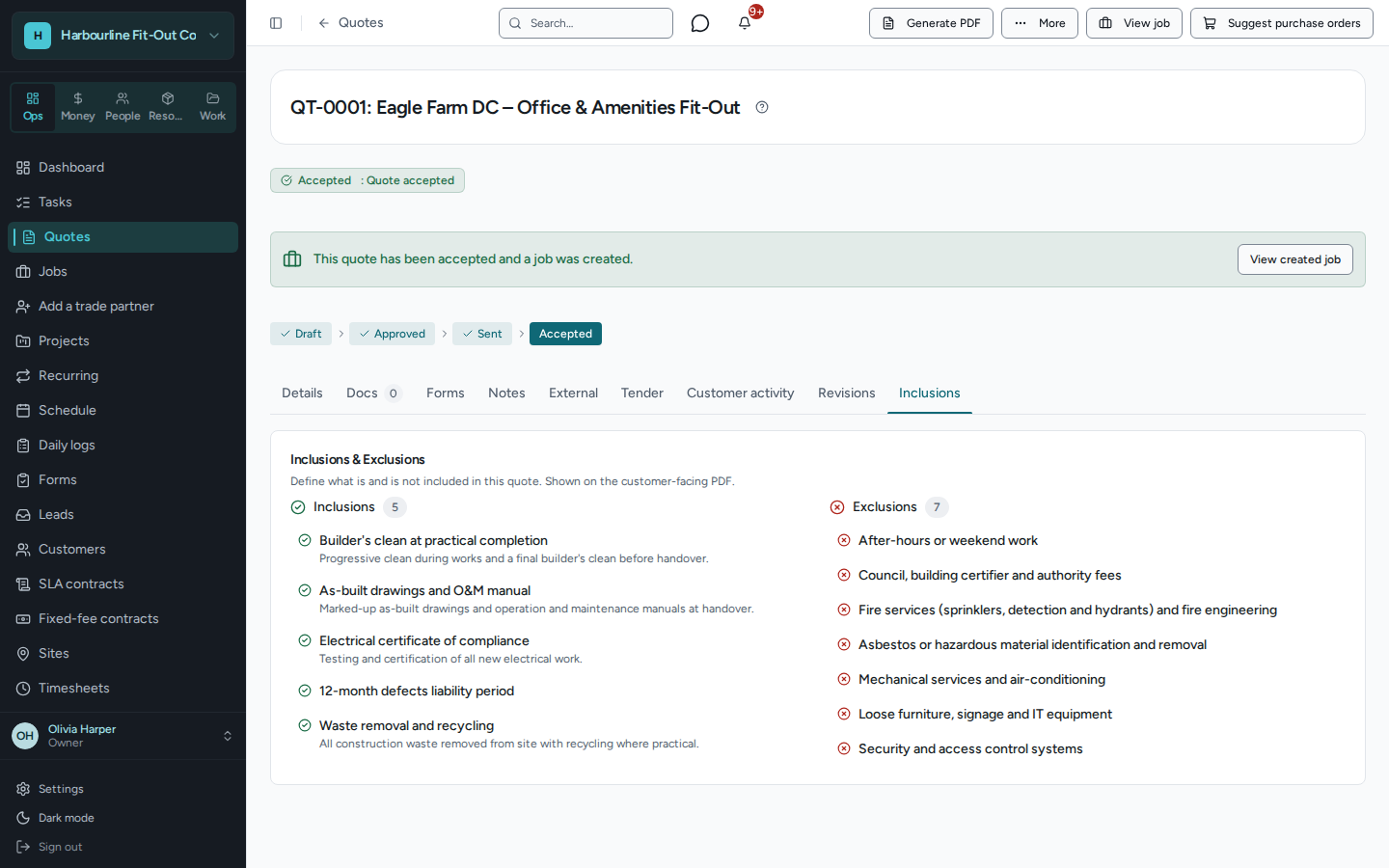
Keep inclusions and exclusions with the customer quote, before the work starts.
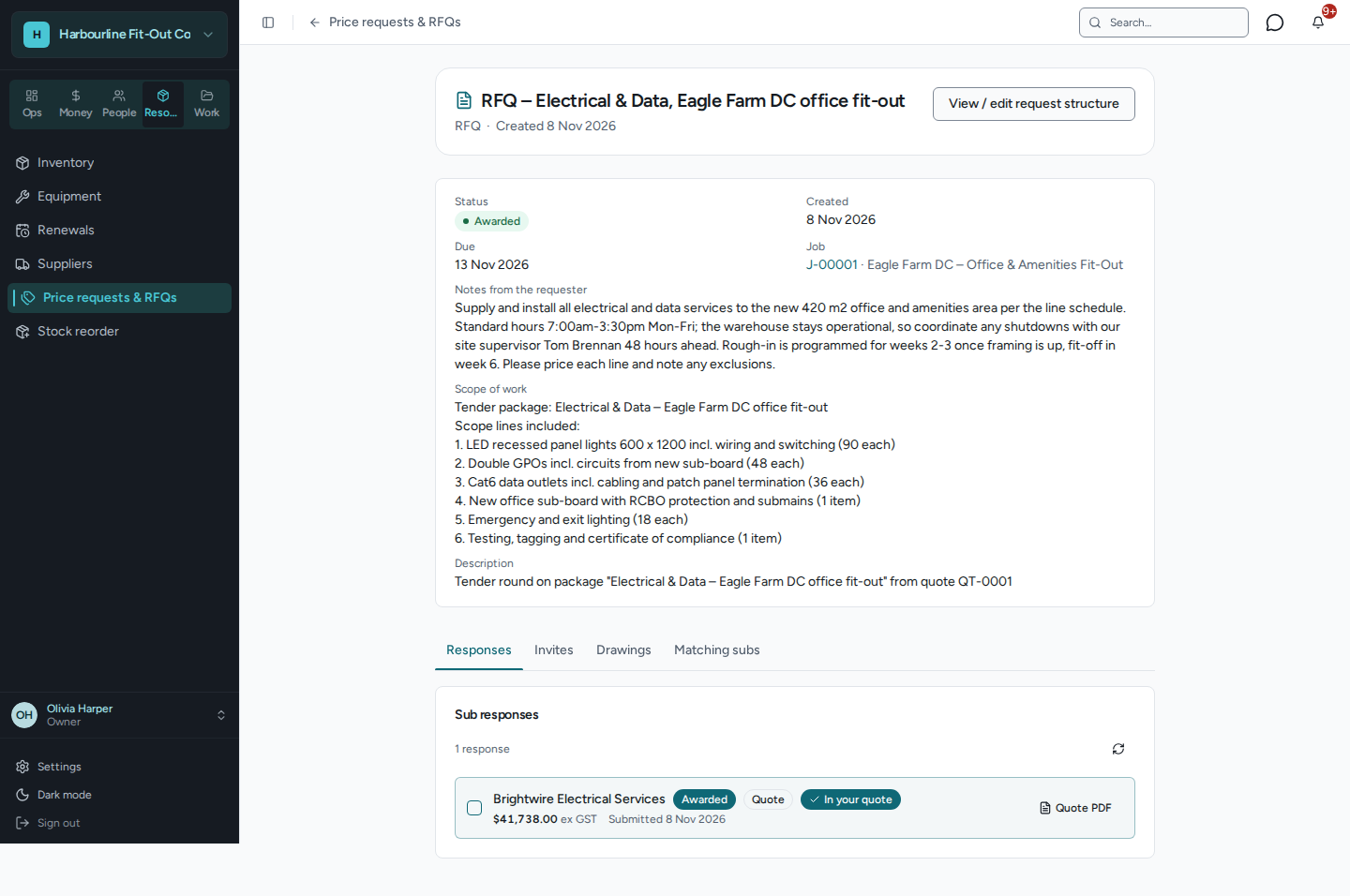
A defined electrical scope, the linked job and an awarded response carried into the quote.
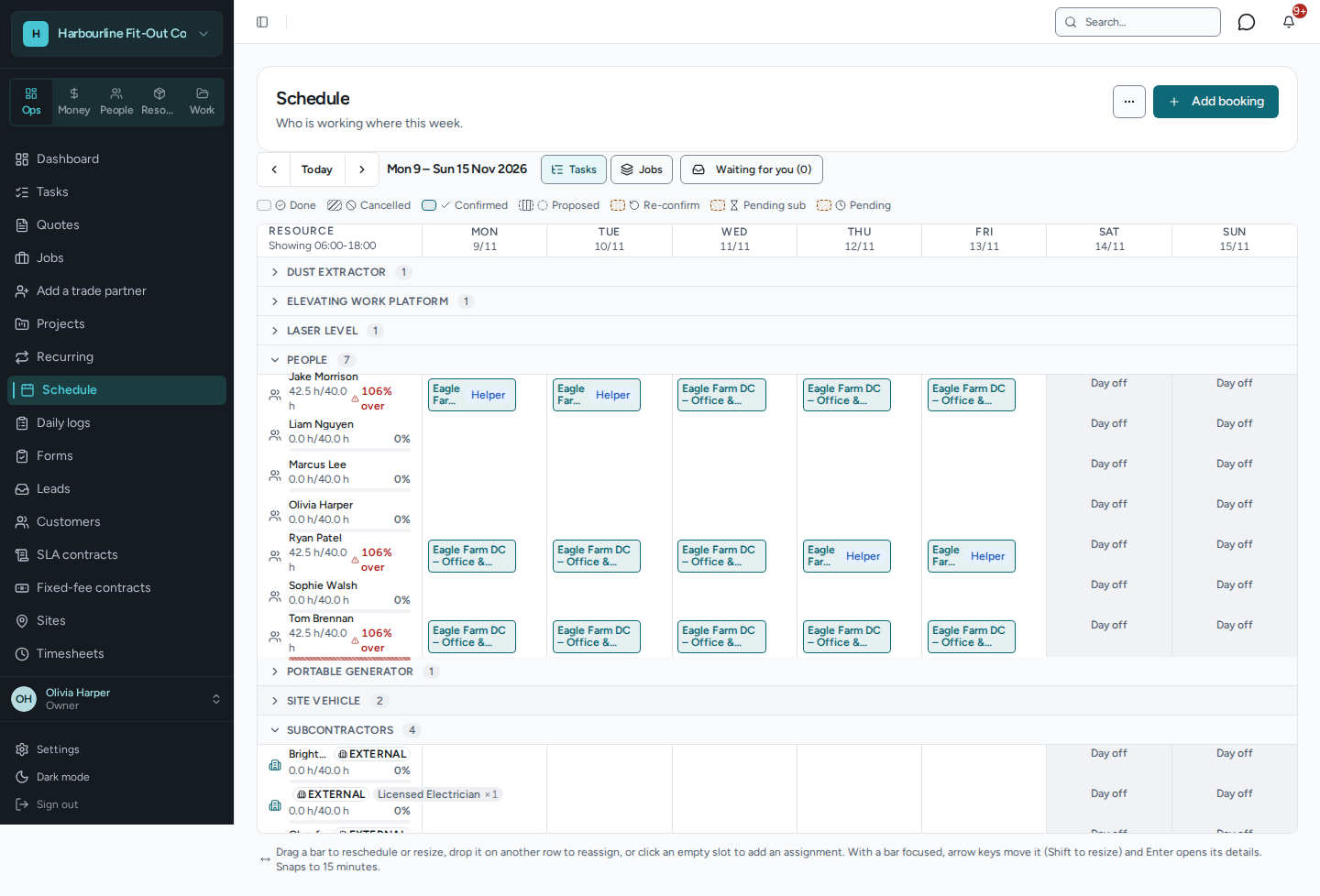
Crew bookings and capacity warnings on one weekly resource board.
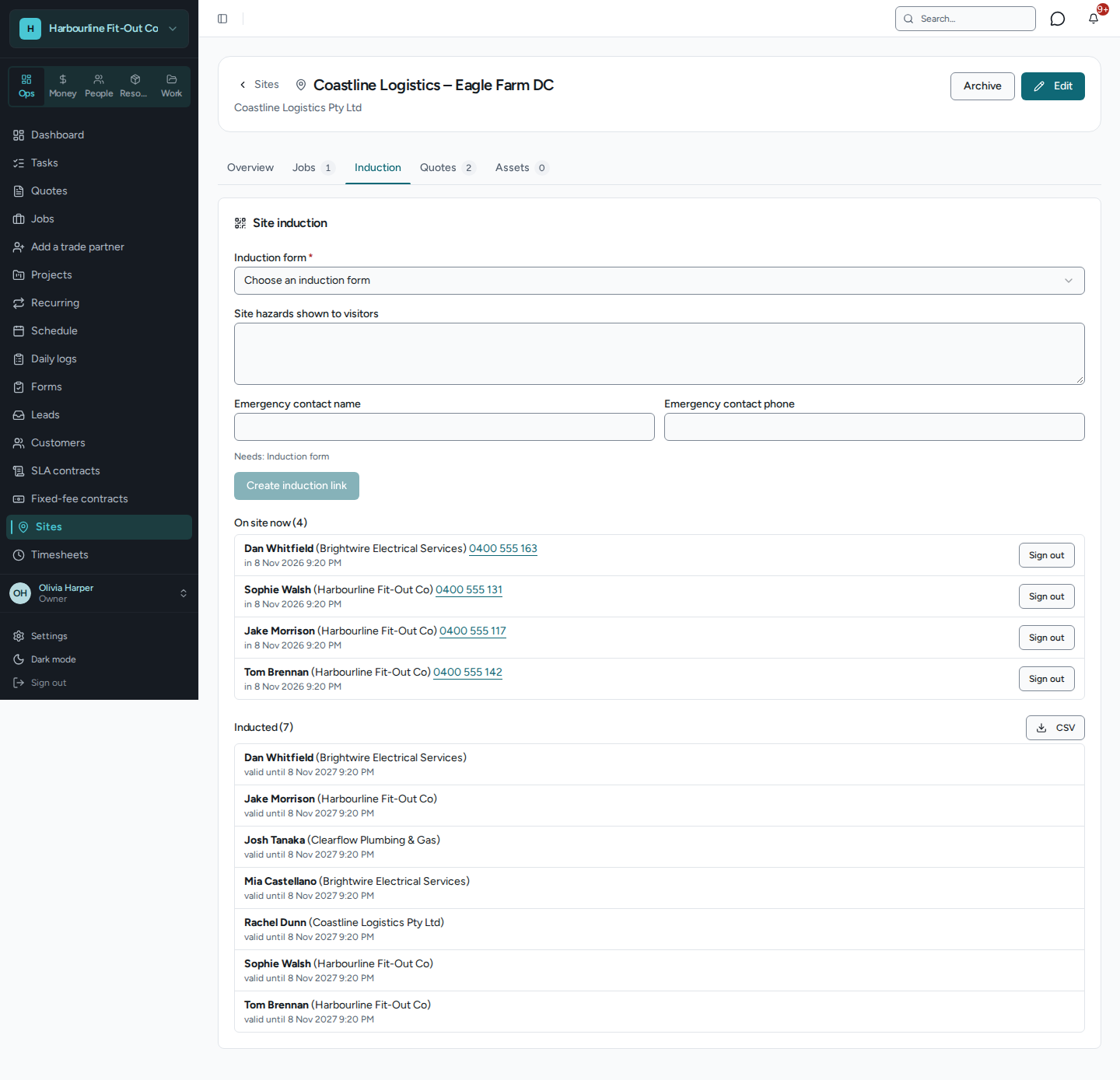
Review signed-in workers and induction records together, with the visit register ready to export.
Invite the subcontractors you already trust to join OPSphere. Once connected, send scope for pricing and coordinate the capacity a job needs.
Beyond the quote
Explore OPSphere before planning a move. Migration scope and timing are assessed individually.
Australian trade, contracting and service businesses that manage jobs and work with subcontractors or other partner businesses.
No. Start with your own quotes, jobs, templates and subcontractors you already know. Your quotes, templates and own-team job planning do not depend on marketplace coverage. Shared RFQs and cross-business bookings require connected businesses, with the relevant permissions and acceptance.
Save 100% of your OPSphere platform fees in your first year. Dollar savings depend on your paid invoice volume and applicable platform-fee rate. After 12 months, standard platform fees apply. Other applicable charges remain payable throughout.
No. The offer waives the OPSphere platform fee for 12 months from business-account creation. AI features use credits and depend on your plan, settings and permissions. Other applicable charges are not waived.
Black Friday · For businesses new to OPSphere
Start with your next quote. Explore AI drafts, reusable scope, RFQs and the tools that carry the work through.
Create accountNo credit card needed to sign up and explore.
Opens OPSphere’s login or signup screen. Complete business-account creation by the deadline to claim the offer.
Questions? Email hello@opsphere.com.auOpens your email app. Your message is sent only when you send the email. Emailing does not claim the offer.