Example · Electrical business
Same trade.
Extra capacity.
A full week needs another crew. Request a booking with an electrical business you already know. They accept and allocate their own people.
Explore resource planningStart with people you already know
Invite the businesses you already work with to OPSphere. Once connected, share scope, request capacity and see confirmed bookings on both schedules.
12 months with no platform fees. For businesses new to OPSphere.
Create your business account by 30 November 2026. Other charges apply. Offer details
No credit card needed to sign up and explore.
Invite a business you already know to join OPSphere. Connect and agree the relevant access.
Send structured scope or request the capacity a job needs.
The partner accepts the booking and assigns its own people.
One trade or several
Start with your existing relationships. You do not need to find new subcontractors or run a project with multiple trades.
Example · Electrical business
A full week needs another crew. Request a booking with an electrical business you already know. They accept and allocate their own people.
Explore resource planningExample · Contractor
Group electrical and plumbing scope into trade packages. Compare connected subcontractors’ responses and bring selected pricing into the same quote.
Explore RFQ managementShared work requires permissions and acceptance. Selecting a price is separate from placing an order.
Your operation comes first
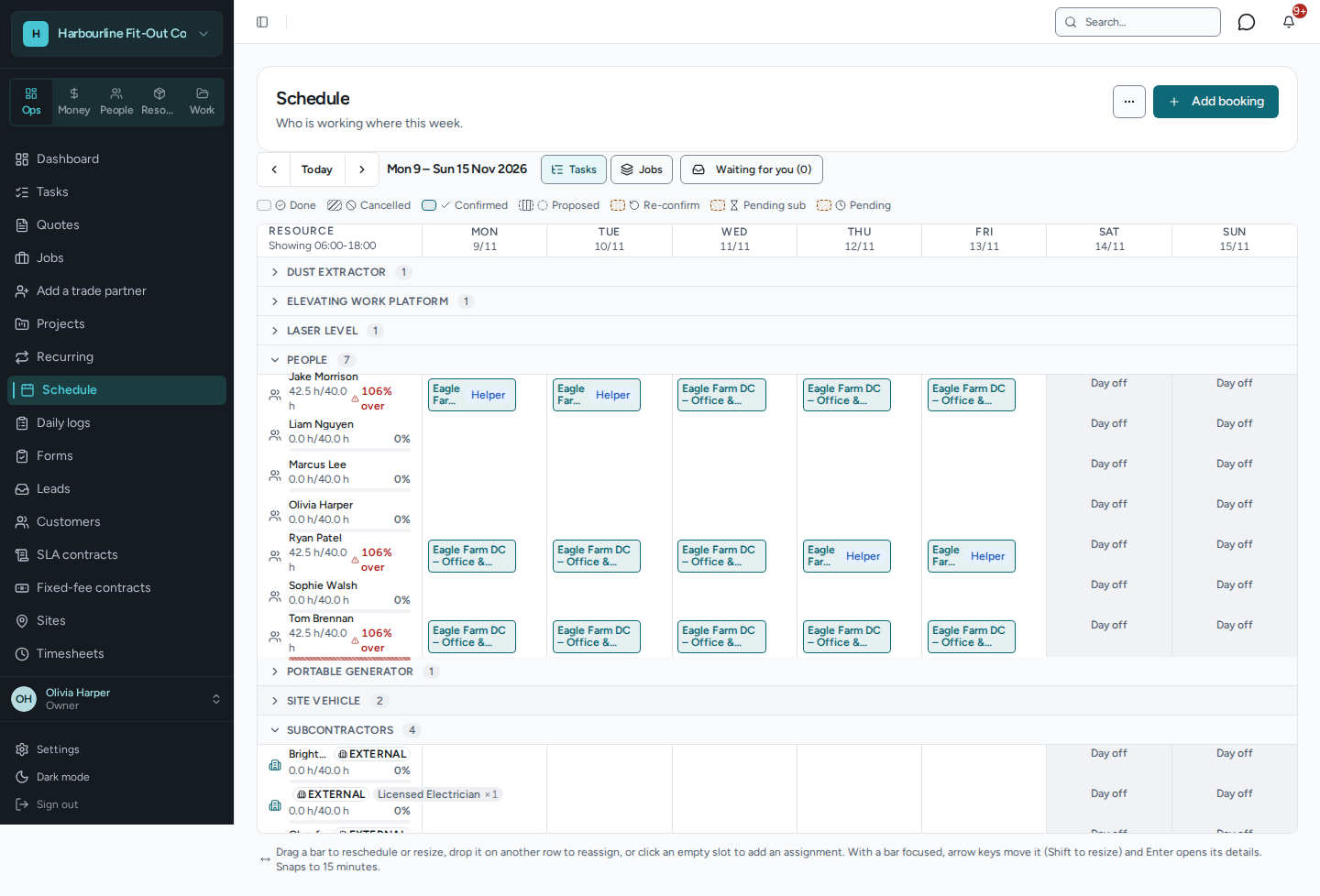
Your quotes, templates and own-team planning do not depend on marketplace coverage. Use your resource board for your own people, crews and equipment.
Agreed scope, booking requests and confirmed commitments.
Each business sets access and assigns its own crew.
Beyond your existing connections
Alongside your own jobs and known partners, OPSphere includes a business directory and published RFQ opportunities.
Listings and opportunities depend on participating businesses. Shared work requires the relevant access and agreement.
Business directory
Published RFQs
Black Friday · For businesses new to OPSphere
Start with your own quotes and resources. Connect the partners you already work with when a job needs shared capacity.
Create accountNo credit card needed to sign up and explore.
Opens OPSphere’s login or signup screen. Complete business-account creation by the deadline to claim the offer.
Questions? Email hello@opsphere.com.auOpens your email app. Your message is sent only when you send the email. Emailing does not claim the offer.